Cyberpunk 2077: How to Inspect Weapons on PC and Controllers
Weapon inspection is a small but satisfying feature in Cyberpunk 2077. It allows V to examine firearms up close, rotate them, and enjoy their detailed designs without entering combat. Whether the player wants to admire an Iconic weapon, check out a newly collected gun, or simply take a closer look at its appearance, the inspection animation adds a little personality to the experience. Here is how to inspect weapons on PC and controllers.
How to Inspect Weapons on PC in Cyberpunk 2077
How to Inspect Weapons in Cyberpunk 2077 on PC: On PC, the player can inspect a weapon using the following controls:
- Press B to draw the weapon first. Then Press B twice quickly and hold onto B on the second press. Pressing B once will draw the currently equipped weapon. Press B twice and hold to inspect the currently equipped weapon.
- Or, press num 1/2/3/4 to draw the weapon first. Then press it again twice quickly and hold onto it on the second press: This will inspect the weapon equipped according to the number directly.
The weapon needs to be equipped before it can be inspected. Not every weapon can be inspected. Some weapons such as Overwatch and Hypercritical cannot be inspected.
Explore: Cyberpunk 2077 Clampdown Walkthrough: Save Everyone & Max Out Rewards
How to Inspect Weapons on Controllers in Cyberpunk 2077
For players using a controller, the inspection input is slightly different:
- Double-press Y on Xbox controllers: Pressing Y once changes and draws weapons. Double-pressing Y quickly will inspect the current weapon.
- Double-press Triangle on PlayStation controllers: Pressing Triangle once changes and draws weapons. Double-pressing Triangle quickly will inspect the current weapon.
Unlike the PC controls, the player can inspect the weapon directly by double-pressing without drawing the weapon first. The player can use the weapon wheel to select a different firearm before inspecting it.
The tricky part with the controllers is that the keys have longer travel compared to keys on keyboards. The player may need to click Y or Triangle really fast to trigger the inspection. Try clicking them multiple times in a row to trigger inspections.
Explore: Cyberpunk Secret Ending Explained: How to Raid Arasaka with Johnny & Only Johnny
What Does Weapon Inspection Look Like?
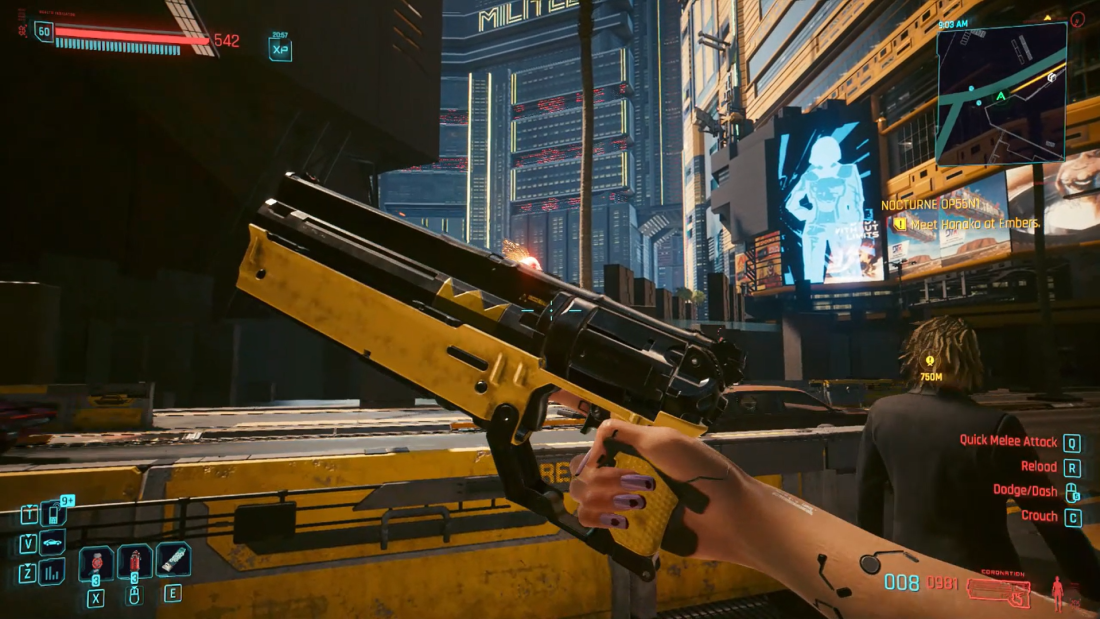
The inspection animation is more than V simply holding a gun in front of the screen. Each firearm has its own detailed handling animation, allowing the player to appreciate its model and design.
V typically raises the weapon and moves it closer for a better look. The character may rotate it from side to side, tilt it to examine different angles, and turn it to show the upper and lower sections. Depending on the firearm, V may also manipulate individual parts, such as the magazine, slide, or cylinder.
👉 Night City is full of dangerous gigs, difficult choices, and hidden secrets. Explore our Cyberpunk 2077 Game Guide Hub for quest walkthroughs, character builds, and every curious finding in the streets of Night City.

Cyberpunk 2077: How to Inspect Weapons on PC and Controllers
Learn how to inspect Cyberpunk 2077 weapons on PC and controllers, view detailed animations, and understand input limitations….

Cyberpunk 2077 Clampdown Walkthrough: Save Everyone & Max Out Rewards
Cyberpunk 2077 Clampdown side quest walkthrough, choices, rewards, and fun facts….

Cyberpunk 2077 Guide: How To Solve Lizzy Wizzy Quest
Lizzy Wizzy descent into cyberpsychosis……


How to Save Takemura in Cyberpunk 2077, Or Should I Save Him?🤔
Save Takemura to unlock Takemura vs. Adam Smasher……

Cyberpunk 2077 Best Ending: Shine a Light on the Bright Side of the Top 3 Finales
To be a nobody or become a blazing star?…